Best Lap Desks for Working in Small Spaces
A lap desk can turn a sofa or armchair into a temporary work spot, but it should not be mistaken for a full desk. The useful choice is the smallest surface that supports your device, input method, and short work session without wobbling, blocking vents, or becoming awkward to store.
As an Amazon Associate, The Good Home Doc may earn from qualifying purchases.
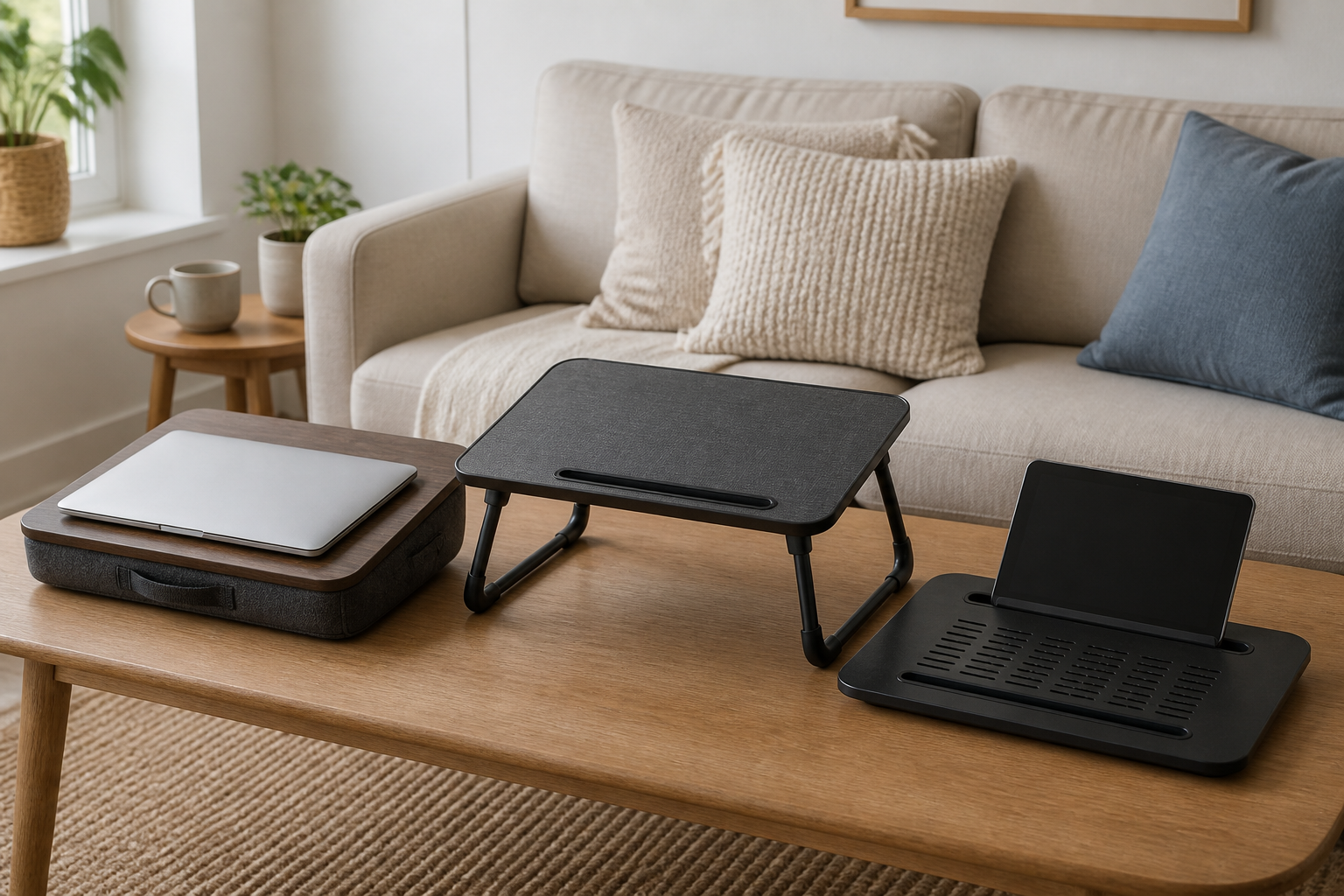
Compare the format that fits your device and storage space:
- Browse category: Compare cushioned laptop lap desksCompact and quick to pick up for short sofa or chair sessions; verify the usable surface, not the overall width.
- Browse category: Compare folding-leg lap desksA raised surface with room beneath, but the opened footprint and leg stability matter as much as folded size.
- Browse category: Compare ventilated flat lap desksWorth considering when a laptop needs an unobstructed base; match openings to the device maker's ventilation guidance.
These are category searches, not tested rankings. Confirm current dimensions, device fit, stated load, materials, folding hardware, ventilation layout, care instructions, and return terms before buying.
This guide compares lap-desk formats and selection criteria without naming unsupported winners. A lap desk does not guarantee better posture, less pain, or cooler device operation. Follow the computer maker's instructions for vents, approved surfaces, power use, and operating temperature.
Quick Best-Fit Guide
- Best for short sessions and easiest storage: a cushioned lap desk sized closely to the laptop or tablet.
- Best when you want the device raised off your legs: a folding-leg design with a stable opened footprint and enough knee clearance.
- Best for a laptop with base vents: a rigid surface that leaves the maker-specified vents unobstructed; ventilation cutouts are useful only when they align appropriately.
- Best for separate mouse use: a wider surface with verified room beside the laptop and an edge that does not interfere with wrist movement.
- Best for daily, long work blocks: usually a measured table or desk with a supportive chair, not a lap desk.
Measure the Device and the Place You Will Sit
Measure the laptop's width and depth with any case you leave attached. Add space for the charging plug, side ports, and your hand position. A listing's total width may include handles, cushions, or raised edges, so look for the usable top dimensions. If you use a mouse, measure the laptop and mouse area together rather than assuming a wide-looking surface will fit both.
Then measure the chair or sofa. A folding desk must fit between the armrests when open, and its legs need a stable place to land. For a cushioned model, compare the underside width with your seated position and consider how you will lift it with the device removed. Finally, identify a real storage spot: behind a sofa, in a closet, or under furniture only if the folded thickness clears.
Comparison Framework
Cushioned Lap Desks
A rigid top over a fabric or foam cushion is simple, portable, and usually compact. The cushion can conform to your lap, but fill can shift and a thicker wedge can change the keyboard angle. Handles and a smooth underside make these easy to move between rooms.
Choose one when: work sessions are occasional, you use a laptop or tablet without a large mouse area, and fast setup matters more than adjustability. Check whether the cushion cover is removable or spot-clean only.
Folding-Leg Lap Desks
Folding legs create a small bridge over your lap and may provide a larger worktop. They also introduce hinges, locks, and a wider opened footprint. A model that feels compact when folded can still collide with sofa arms or sit unevenly on soft cushions.
Choose one when: you want clearance beneath the work surface and have measured a stable opened position. Verify how the legs lock, where fingers go during folding, and the manufacturer's stated load.
Flat or Ventilated Platforms
Rigid platforms may use slots, holes, raised rails, or open areas to keep a device base from resting directly on fabric. Openings do not prove cooling performance, and a poorly placed ridge can block a vent or make a small laptop unstable.
Choose one when: the platform dimensions and openings match your device's feet and vent locations. Treat any fan, USB hub, or powered feature as extra complexity that needs its own cable and maintenance check.
Must-Have Buying Checks
- Usable surface dimensions: Fit the device, charging connector, and mouse only within the flat working area.
- A stable edge: Raised stops should help prevent sliding without pressing uncomfortably into your wrists or blocking the computer.
- Device ventilation fit: Keep every intake and exhaust area clear according to the device maker's directions.
- Manageable weight: Add the desk and device weights, then consider whether you can move them separately without awkward handling.
- Secure folding hardware: For legged models, look for clear setup instructions and locks that are easy to confirm before loading the surface.
- A realistic storage plan: Measure folded thickness, handle projections, and any tray or cup-holder bulges.
Nice-to-Have Features
- A carry handle: Useful for moving an empty lap desk; carry the computer separately unless the maker explicitly provides secure transport.
- A tablet or phone slot: Helpful only when it fits the device and case without hiding controls or forcing an uncomfortable viewing angle.
- A removable cushion cover: Easier to maintain than a spot-clean-only underside.
- A slight surface texture: Can reduce sliding, though it should not obstruct device feet or make a mouse difficult to use.
- Simple angle adjustment: Worth considering when the mechanism locks securely and does not trade away stability or storage ease.
What to Avoid
Skip vague claims that a lap desk will correct posture, prevent pain, or cool every laptop. Those outcomes depend on the person, device, sitting position, and duration. Also avoid soft trays that let a laptop sink into fabric, surfaces narrower than the device feet, and cup holders placed where a spill could reach electronics.
Power cords should not be pinched under a leg, stretched across a walkway, or bent sharply at the device. If the setup requires a cable across the room, change seats or use a permanent work surface near an outlet rather than creating a trip path.
Who Should Skip a Lap Desk
- Skip the category for full workdays when a properly fitted desk-and-chair setup is available.
- Skip folding legs if the sofa is too soft or narrow to support all contact points consistently.
- Skip a narrow model if you need a separate mouse, paper notes, or accessibility equipment on the same surface.
- Skip wedge-shaped cushions if the fixed angle makes the keyboard or screen uncomfortable for your usual position.
- Skip any setup that blocks device vents, strains the power connector, narrows a walking path, or feels unstable before work begins.
Buying Checklist
- Measure the laptop or tablet, including its case, feet, vents, and side connectors.
- Add the actual space needed for a mouse, notebook, or stylus.
- Measure between chair arms and identify where folding legs would rest.
- Compare usable top dimensions, not only overall product dimensions.
- Verify stated load, folding locks, cushion care, surface material, and device guidance.
- Measure the proposed storage space against the desk's folded size.
- Choose a permanent desk when sessions are long, frequent, or equipment-heavy.
Bottom Line
For occasional work in a small home, a cushioned lap desk is the simplest choice when it closely fits the device, while a folding-leg desk suits readers who have measured room for a stable raised surface. A rigid ventilated platform can help preserve clearance around device vents, but openings are not a performance guarantee. Buy by usable dimensions, stable setup, and storage fit—not by the longest feature list.