Best Monitor Stands with Storage for Small Desks
The best monitor stand for a small desk fits the monitor base with room to spare, supports the maker's stated load, and gives back usable space instead of creating awkward cubbies. Start with a low open-shelf riser when keyboard parking matters; choose a shallow drawer only when it opens without colliding with the keyboard, mouse, or desk edge.
As an Amazon Associate, The Good Home Doc may earn from qualifying purchases.
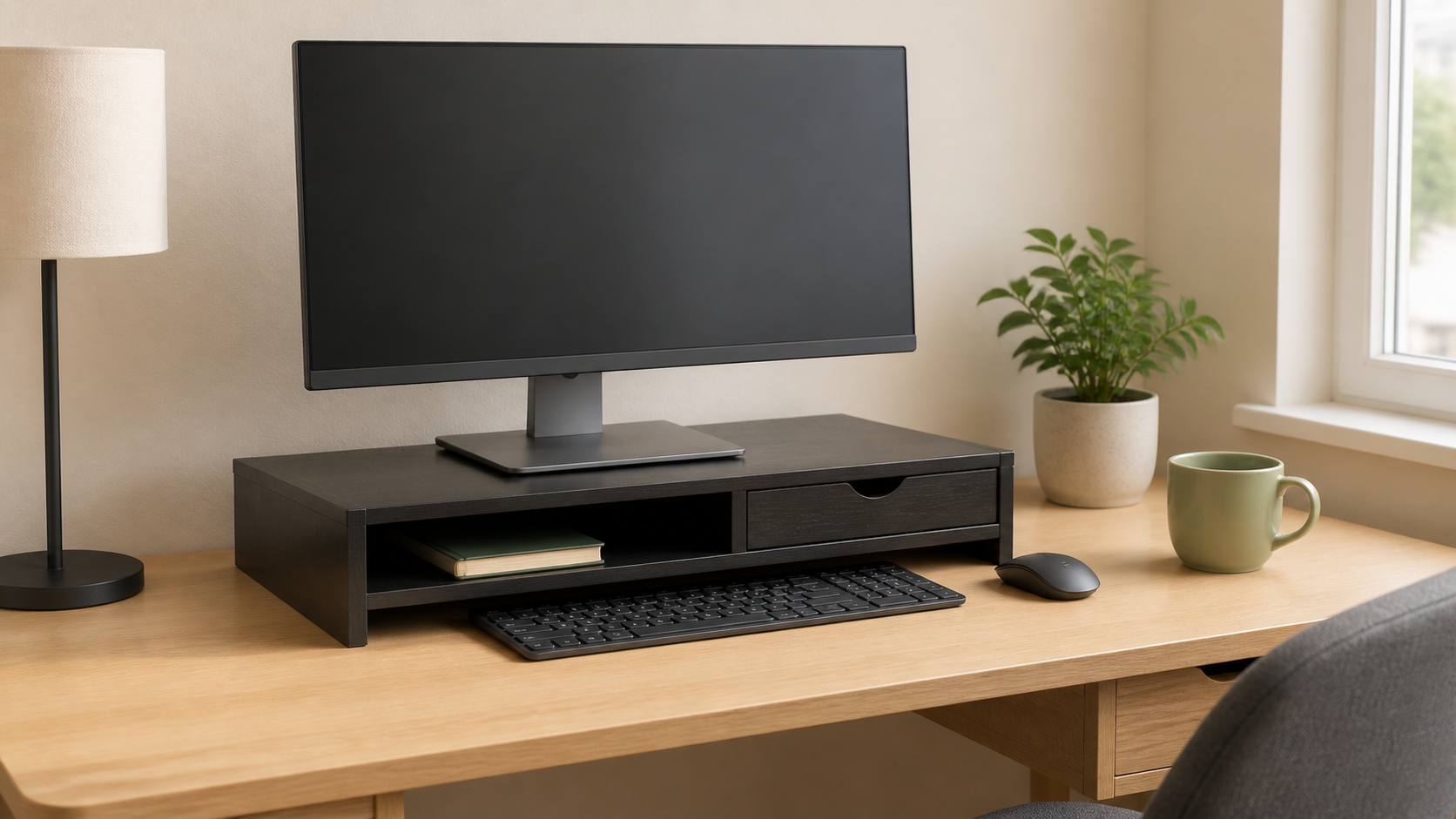
Compare the category: This affiliate search is a shopping starting point, not a tested brand ranking.
- Browse category: Monitor stands with storage for small desksCompare platform width and depth, stated load, riser height, keyboard opening, drawer travel, and total desk footprint.
Measure your monitor base and desk before buying. Confirm all dimensions and load guidance on the current product listing or maker documentation.
This guide compares monitor-stand formats and buying criteria, not current named products. It excludes articulated monitor arms, wall mounts, laptop-only stands, and unsupported ergonomic or health claims.
Quick Picks by Storage Need
- Best for parking a keyboard: an open riser with a clear opening wider and deeper than the keyboard, including any wrist rest.
- Best for small supplies: a shallow drawer that can open fully without moving the keyboard or hanging past the desk edge.
- Best for changing setups: a modular stand with removable trays or side compartments that do not support the monitor platform.
- Best for warm-running mini PCs or docks: an open shelf with generous air space and cable access, subject to the device maker's placement guidance.
- Best for the tightest desks: a simple narrow riser; extra drawers are not useful if they make the stand deeper than the monitor base requires.
Measure Four Things Before Shopping
1. Monitor Base Footprint
Measure the base at its widest and deepest points, including feet that angle forward or backward. The full base should sit on the platform with a margin around every edge. Do not judge fit from screen size: two monitors with the same diagonal measurement can have very different stands.
2. Available Desk Area
Measure from the wall to the front edge and between anything that must stay on the desk. Leave room for the stand itself, cable bends, and normal mouse movement. A stand that consumes the entire desk depth may technically fit but still make the workstation worse.
3. Keyboard Clearance
For keyboard storage, measure the keyboard's width, depth, and height at its tallest point. Compare those numbers with the stand's clear interior opening—not its outside dimensions. Allow extra width for easy retrieval and any cable or receiver that remains connected.
4. Finished Screen Height
Measure the current desk-to-screen position, then add the riser's height. A storage stand is a poor fit if it raises an already-high monitor beyond a comfortable adjustable range. General posture diagrams are not a substitute for individual fit; if discomfort persists, reconsider the workstation or seek qualified ergonomic advice.
Comparison Framework
Open-Shelf Risers
These provide the cleanest keyboard or notebook storage and make it easy to see what is underneath. They usually have fewer moving parts and are easier to wipe down.
Choose one when: open clearance matters more than hiding small clutter.
Watch for: center supports that divide the opening, low shelves that block tall keyboards, and deep platforms that consume mouse space.
Drawer Risers
A shallow drawer can contain pens, adapters, and small stationery. The drawer is useful only if its internal dimensions fit the intended items and its path remains clear during normal work.
Choose one when: small loose items are the main source of desk clutter and the drawer can open without rearranging the workstation.
Watch for: drawers with little usable depth, weak stops, protruding pulls, and designs that sacrifice keyboard clearance.
Tiered or Compartment Stands
Side pockets and upper tiers can separate a phone, notebook, or dock, but every compartment increases the footprint. Fixed sections also make the stand less adaptable when equipment changes.
Choose one when: each compartment has a specific job and its dimensions are listed.
Watch for: tiny decorative slots, blocked cables, visual clutter, and shelves positioned where they trap heat around electronics.
Adjustable-Height Storage Stands
Some platforms use removable legs or stacked sections to offer more than one height. Adjustment can help when the monitor itself has limited range, but every configuration must remain stable and within the stated load guidance.
Choose one when: the available height settings solve a measured need.
Watch for: loose stacking connections, reduced storage in the lower setting, and adjustability that adds width or wobble.
Must-Have Features
- A correctly sized platform: the whole monitor base rests flat with a useful margin from every edge.
- Clear stated load guidance: compare the monitor's weight, including its original stand, with the riser's current manufacturer limit.
- Stable construction: feet sit evenly, joints tighten securely, and drawers do not pull the stand forward in normal use.
- Usable storage dimensions: internal openings and drawer measurements fit the actual keyboard or supplies.
- Practical cable paths: cords can bend gently without being pinched between the stand, wall, and monitor base.
Nice-to-Have Features
- Non-marking feet appropriate for the desk finish.
- A removable drawer or tray for easier cleaning.
- Rounded front edges where hands and cables pass frequently.
- An open back for visibility, cable routing, and airflow around permitted devices.
- Replaceable fasteners rather than permanently loose snap-together joints.
Assembly, Stability, and Electronics
Assemble the stand on a flat surface and follow its instructions. Tighten fasteners evenly, confirm all feet contact the desk, and press gently on each corner before placing the monitor. Recheck the hardware after the stand has been loaded and moved.
Do not use a stand to conceal damaged plugs, overloaded power strips, hot adapters, or tightly coiled power cords. Keep vents and required clearances open, follow each device maker's placement instructions, and ask a qualified electrician about damaged outlets, recurring heat, sparking, or other electrical concerns.
Who Should Skip a Storage Monitor Stand
Skip this category if the monitor already sits at the right height and the stand would force it higher. A separate shallow desk tray may solve clutter without changing the screen position. Also skip a drawer model if opening it requires moving the keyboard every time, or if the desk is too shallow to leave safe edge clearance.
A storage riser is not the right solution for an unstable desk, a monitor base wider than available platforms, multiple heavy displays, or a setup that needs side-to-side and depth adjustment. A compatible manufacturer-supported monitor arm or a different desk layout may fit those needs better, but mounting and load requirements must be checked separately.
Bottom Line
For most small desks, an open monitor riser with verified base support and enough clear space for the keyboard is the least fussy choice. Add a drawer only when its interior dimensions and opening path solve a real storage problem. Measure the monitor base, desk depth, keyboard, and finished screen height first; storage features come after stable fit.