Best Cable Management Boxes for Power Strips
The best cable management box is the one that fits your power strip after every plug and adapter is connected, keeps required openings clear, and lets you inspect or unplug the setup without dismantling the desk. Favor a simple ventilated box with generous cord exits over a tight decorative cover.
As an Amazon Associate, The Good Home Doc may earn from qualifying purchases.
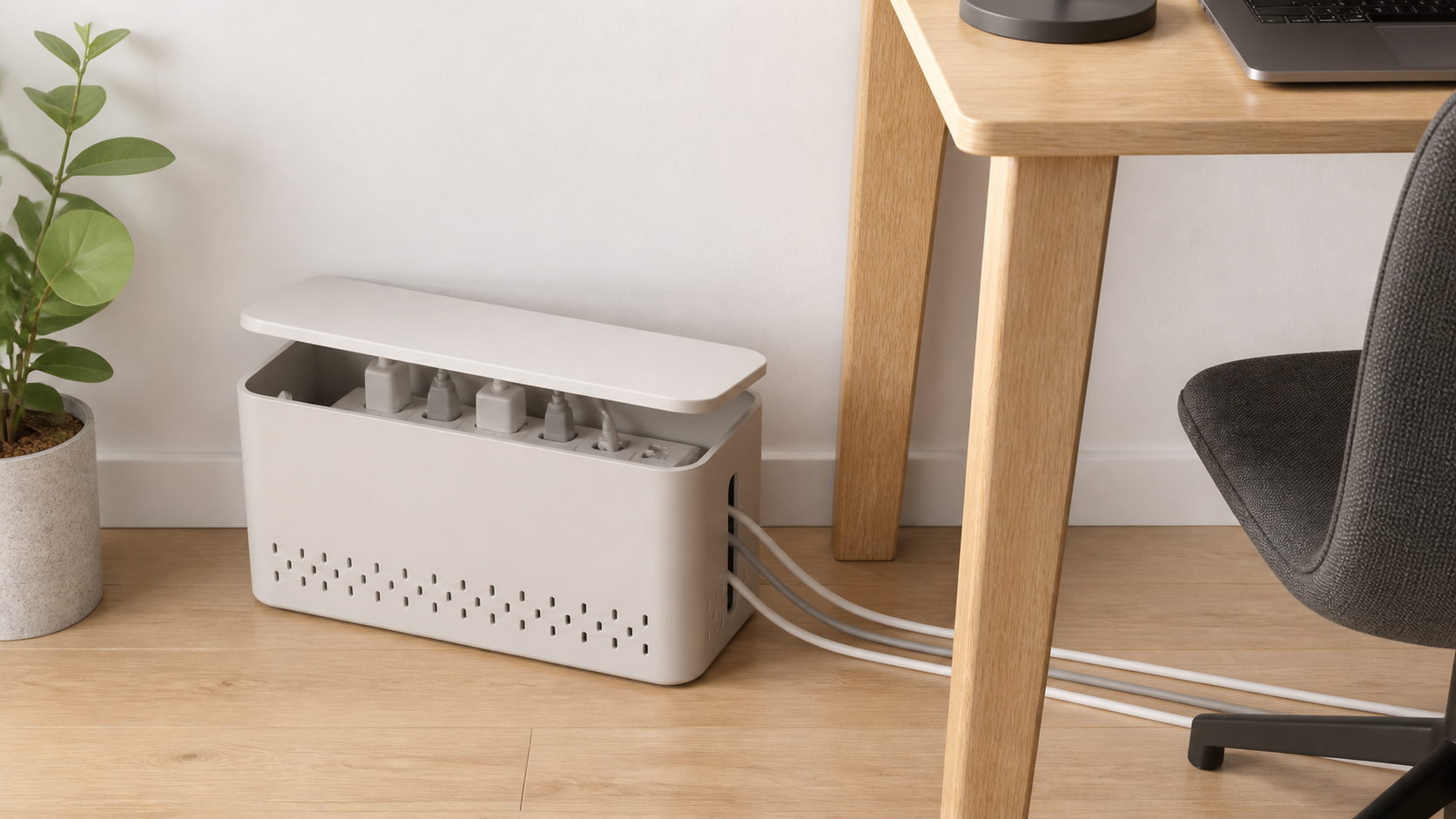
Compare the category: This affiliate search is a shopping starting point, not a tested brand ranking.
- Browse category: Ventilated cable management boxes for power stripsCompare inside dimensions, loaded-strip height, cord openings, lid access, material guidance, and the maker's permitted setup.
Measure the power strip with every intended plug and adapter connected. Confirm current dimensions, permitted devices, placement, and ventilation instructions before buying.
This guide compares box formats and buying criteria, not current named products. A cable box manages clutter; it does not increase a power strip's capacity, correct a damaged electrical setup, make indoor equipment moisture-safe, or replace the equipment makers' instructions.
Quick Picks by Setup
- Best for bulky adapters: a tall, wide box whose listed interior dimensions leave room around the completely loaded strip.
- Best for frequent plug changes: a lift-off or hinged lid that opens fully without moving furniture.
- Best for cords leaving both ends: a box with broad, smooth end openings that match the actual cable route.
- Best for a desktop charging station: a compact box with stable feet and top cable slots, provided the strip and connected devices permit that placement.
- Best for the floor beside a desk: a stable, easy-clean box kept on a dry hard surface away from feet, chair wheels, heaters, and blocked openings.
Measure the Loaded Power Strip, Not the Empty One
Connect the plugs and adapters you intend to use, then measure the setup's total length, width, and height. Include the strip's own cord strain relief, switches, protection indicators, USB plugs, angled connectors, and power bricks that extend over neighboring outlets. Compare these measurements with the box's interior dimensions rather than its outside footprint.
Next, map where every cord must leave. An end opening may be useless when the strip cord exits toward the wall, and a narrow slot can press on a thick grounded cord. Cables should pass through without being pinched by the lid or forced into sharp bends. Leave the access and clearance required by the makers of the strip, adapters, connected equipment, and box.
Comparison Framework
| Box format | Best fit | Main tradeoff | Check before buying |
|---|---|---|---|
| Simple lift-off lid | Stable setups that change rarely | The whole lid needs overhead room | Grip, opening effort, and access to switches |
| Hinged or latched lid | Plugs that need more frequent inspection | Hinges and latches add failure points | Opening direction and whether cords obstruct it |
| Tall adapter box | Large charging bricks and upright plugs | Greater floor or desktop bulk | True interior height with the lid closed |
| Top-slot charging box | Low-voltage device cables used at a desk | Slots can tempt tight bends or crowd the lid | Cable thickness, connector fit, and device placement rules |
| Decorative wood-look box | Visible rooms where the approved material fits the setup | Appearance can obscure limited openings or access | Material, ventilation, and electrical-equipment instructions |
Must-Have Features
- Usable interior dimensions: enough measured room for the loaded strip, plugs, adapters, switches, and gentle cable paths.
- Appropriate openings: smooth exits in the locations the cords actually need, without lid pressure or tight bends.
- Practical access: the strip can be inspected, switched off, or unplugged without moving heavy furniture.
- Stable construction: the box sits flat, the lid stays where intended, and normal cord movement does not tip it.
- Clear maker guidance: instructions address permitted equipment, placement, material care, and any clearance or ventilation needs.
Nice-to-Have Features
- Rounded cable exits that are large enough for the intended cord jackets.
- A lid that can be removed without disconnecting every cable.
- Non-marking feet suitable for the floor or desktop finish.
- A light-colored interior that makes plugs and status indicators easier to inspect.
- A simple shape with few dust-catching seams.
Placement, Heat, and Electrical Limits
Holes in a box do not prove that every power strip or adapter can be enclosed. Follow the current instructions for all equipment in the setup. Do not cover required openings, pack in extra fabric, set the box on a soft surface that blocks vents, tightly coil cords, daisy-chain strips or extension cords, or conceal equipment that is damaged, discolored, buzzing, sparking, or unusually warm.
Keep the box dry and visible enough to inspect. Avoid sinks, damp basements, heaters, direct sun, door swings, chair casters, robot-vacuum routes, and places where feet can kick it. A box is not automatically child-resistant or pet-proof; use products specifically designed for the household risk and keep electrical equipment out of reach where practical.
If an outlet, plug, cord, adapter, or strip is loose, hot, damaged, discolored, sparking, buzzing, or repeatedly trips protection, stop using it safely. Do not hide the warning sign in a box; consult the manufacturer or a qualified electrician as appropriate.
Cleaning and Maintenance
Dust can collect around openings and beneath a floor-level box. Follow equipment instructions before unplugging or moving anything, then wipe the empty box using the method its material allows. During each check, look for cord pressure at the exits, plugs that have shifted, blocked indicators, cracked plastic, or a lid that no longer closes without force.
Remove abandoned chargers rather than letting the box become permanent storage. Re-measure after adding a large adapter or replacing the power strip; a setup that once fit may no longer have usable access or clearance.
Who Should Skip a Cable Management Box
Skip this category when the loaded strip does not fit comfortably, the equipment instructions do not permit enclosure, or the only available location is damp, enclosed inside furniture, covered by soft material, exposed to heat, or in active foot traffic. Also skip it when you need to see a protection indicator or operate the strip's switch frequently.
A box is the wrong tool for a long cable run or a cord crossing a walkway. A properly fitted cord cover or a different furniture layout may address the route, while a sleeve can gather compatible cords behind furniture. None of these products repairs unsafe wiring or damaged equipment.
Bottom Line
Choose a cable management box only after measuring the fully loaded power strip. Prioritize interior room, correct cord-exit placement, easy inspection, stable dry placement, and clear maker instructions. The plain box that fits without compressing plugs or hiding warning signs is a better choice than the smallest or most decorative one.